
Connecting templates through modularity
Generation III templates contain smart building blocks that allow templates to be connected quickly and consistently. This modular approach helps users combine multiple templates into a complete digital twin of a proposed or existing hydronic system. To this end, three types of building blocks are combined.
Energy centre front
The Energy centre front is a smart base circuit used to connect production templates to the rest of the model. It creates a clear separation between the useful production side and the generic end-unit side included in the template. When connecting the production template to an existing model, delete the elements on the end-unit side of the Energy centre front, but keep the Energy centre front block itself.
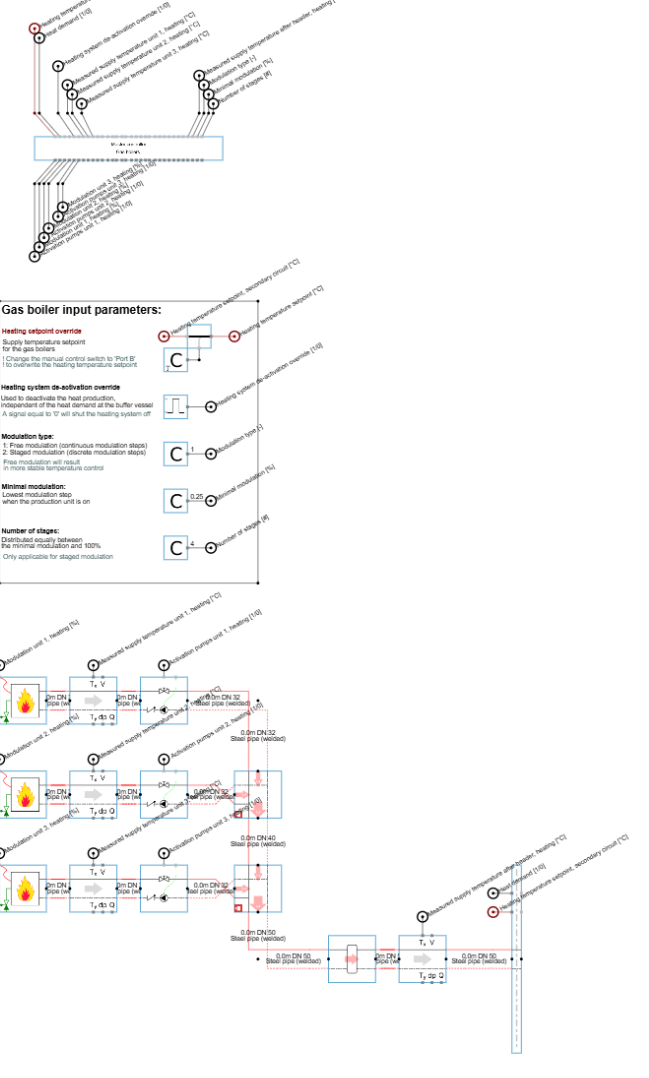
When zooming in on the Energy centre front, three connection nodes are available:
-
Pipe connection node (mandatory): connect this node to the modelled secondary side. Remove the energy centre placeholder and connect the next base circuit to the Energy centre front. This next block is often a Dashboard measurement base circuit, which enables a simulation dashboard for post-simulation results and reporting.
-
Supply temperature setpoint (optional): this node defines the energy centre setpoint during simulations. If the previous energy centre placeholder had a temperature setpoint connected, connect that setpoint to the Energy centre front. If no setpoint is connected, Hysopt uses the supply temperature calculated during Compute design flows as the energy centre setpoint.
-
Activation signal (optional): this node defines when the energy centre is active during simulations. If the previous energy centre placeholder had an activation signal connected, connect that signal to the Energy centre front. If no signal is connected, Hysopt assumes continuous activation, meaning the energy centre is always available to deliver the required heat flow.
Energy centre placeholder
(More info at Energy Centre placeholders (heating)).
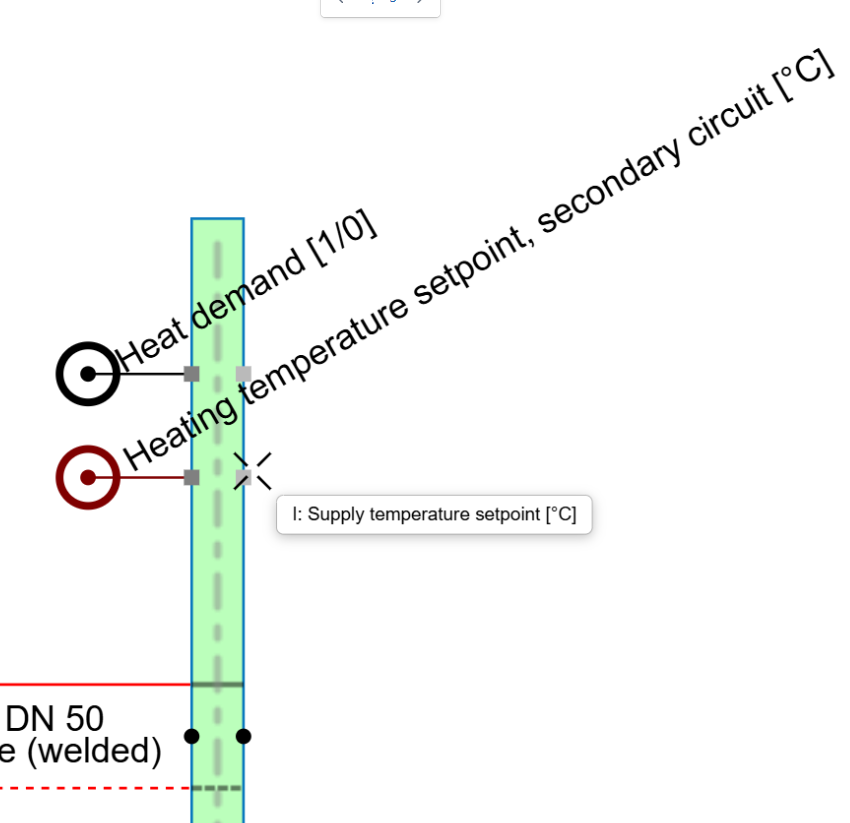
The energy centre placeholder is an idealised production unit that can interact with any hydronic system. Its main purpose is to allow users to validate the secondary-side design before modelling the actual energy centre.
Energy centre placeholders are used in Generation III templates when the template focuses on the secondary circuit or on the distribution side of a hybrid system rather than on the production system itself.
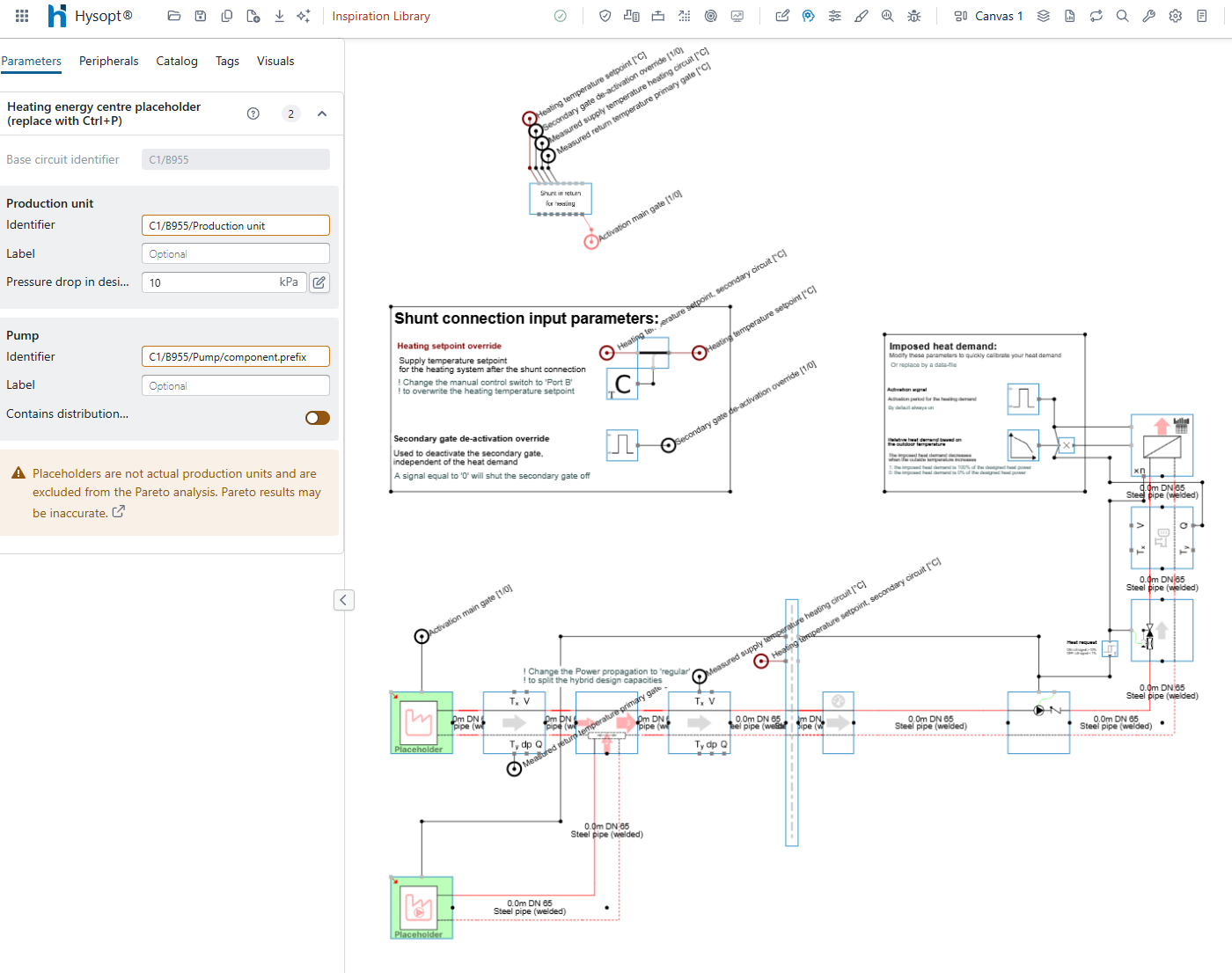
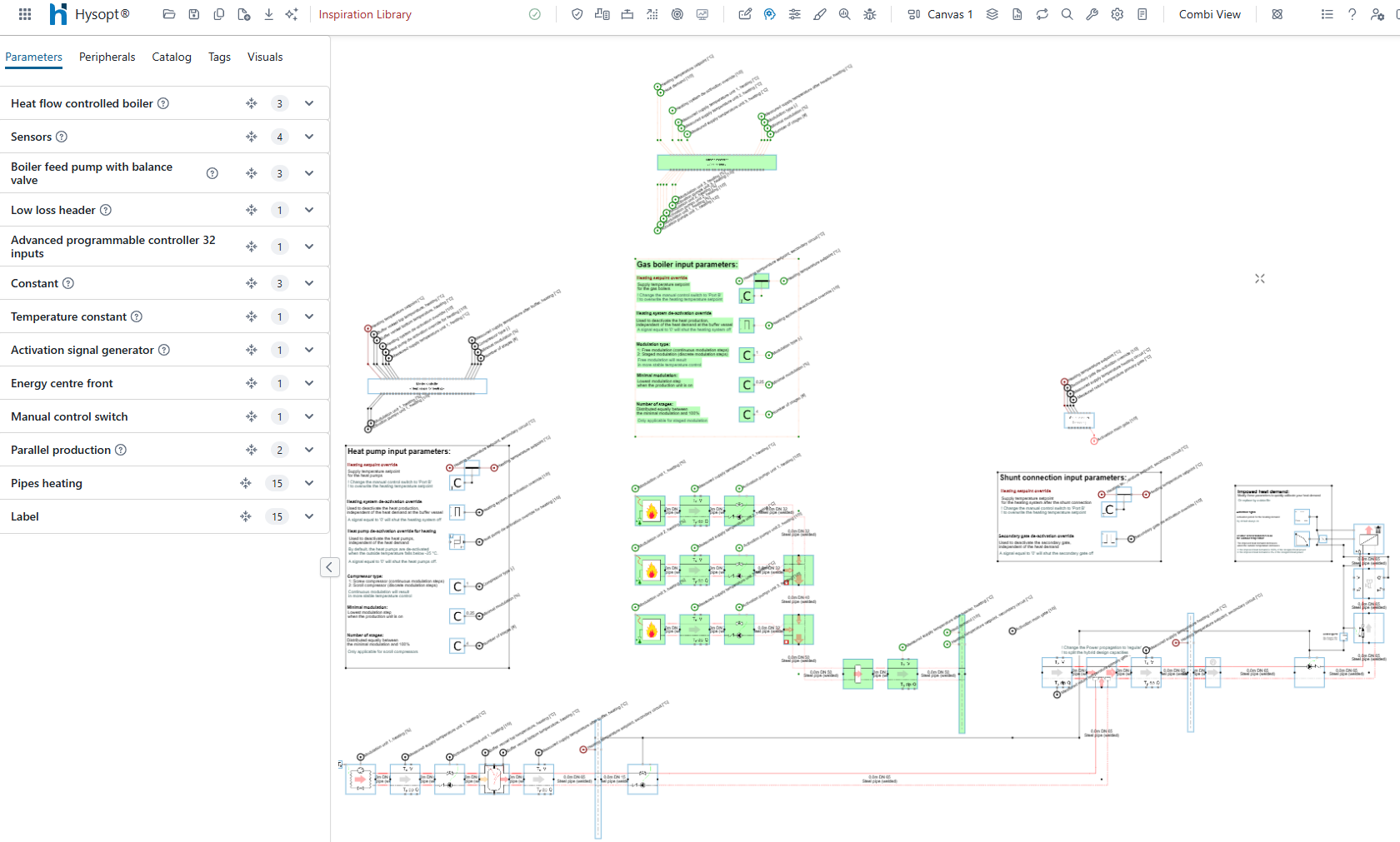
To connect an actual production system to these templates, select the placeholder and replace it with another Generation III template using template auto-insertion (Ctrl + P). More info on auto-insertion is available at Template Configuration window (Ctrl+P) .
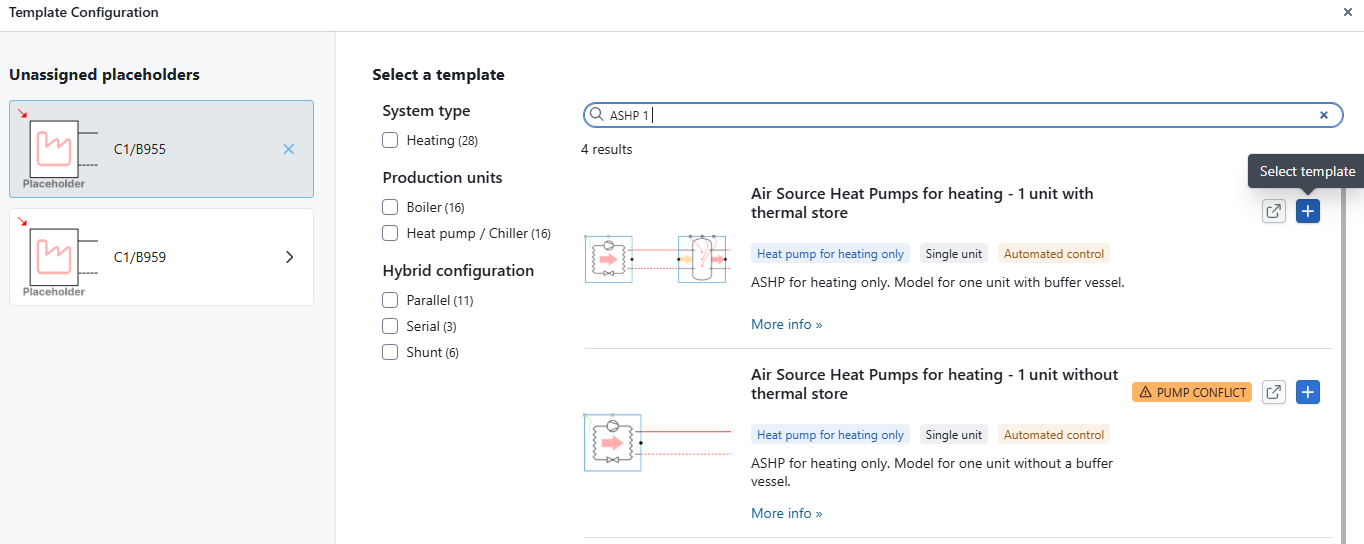
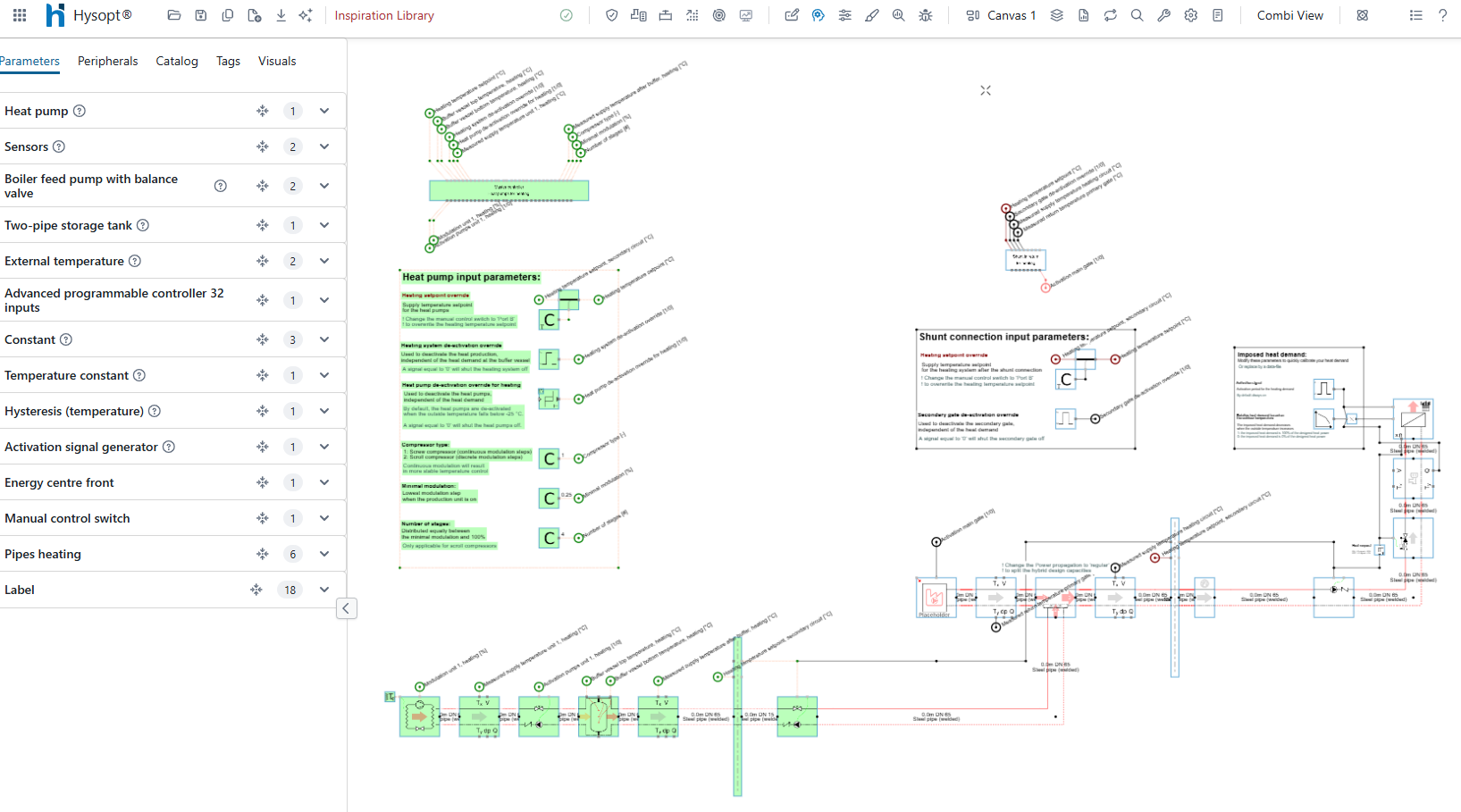
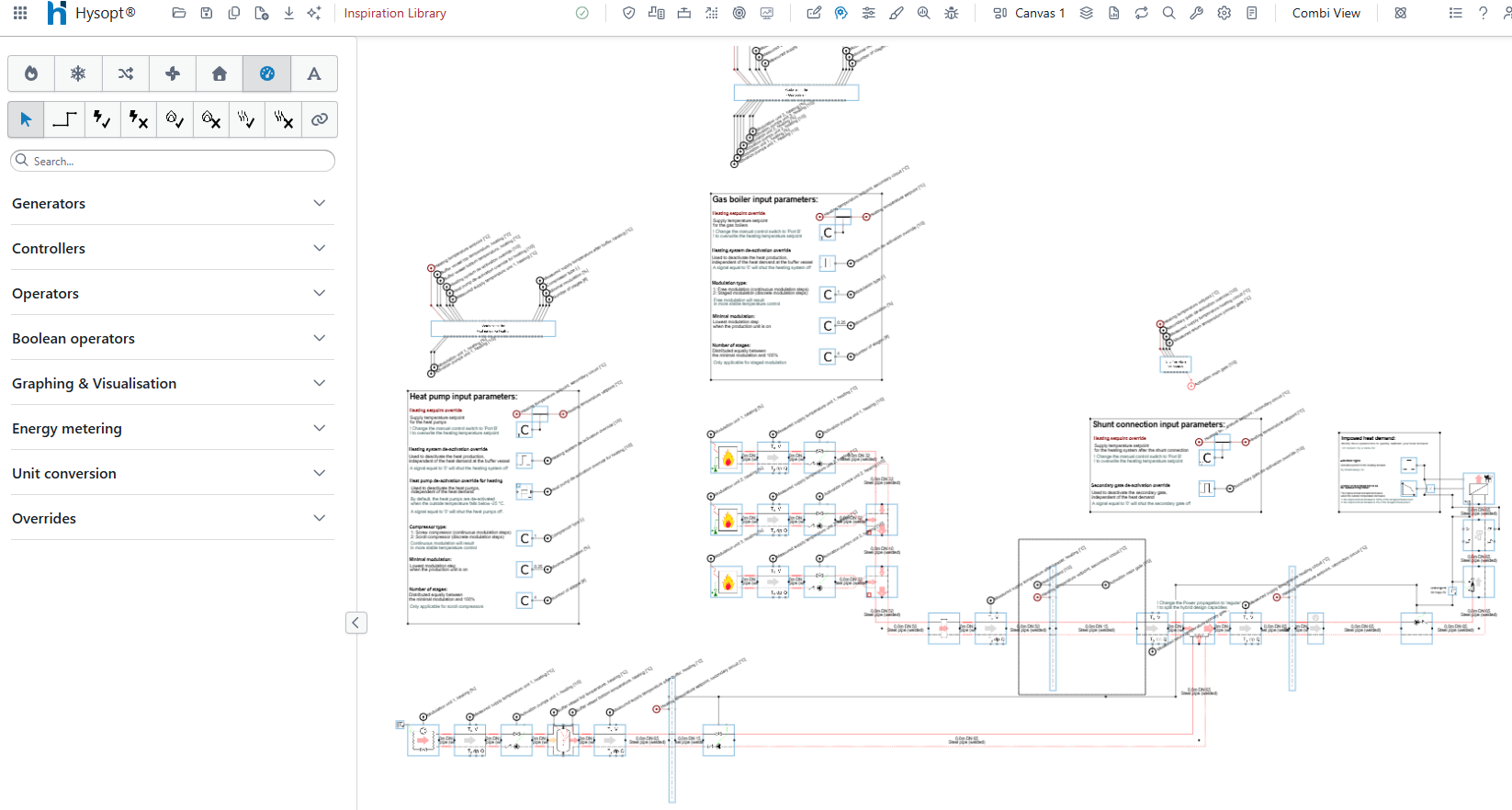
Alternatively, insert the required template from the Inspiration Library and connect it manually after deleting the placeholder. In that case, make sure that any activation signals and temperature setpoints previously connected to the placeholder are reconnected to the relevant production units in the new template.
Automated programmable control logic
(More info on Automated programmable control logic is found here: Advanced control logic for Generation III templates within the Hysopt Inspiration Library.
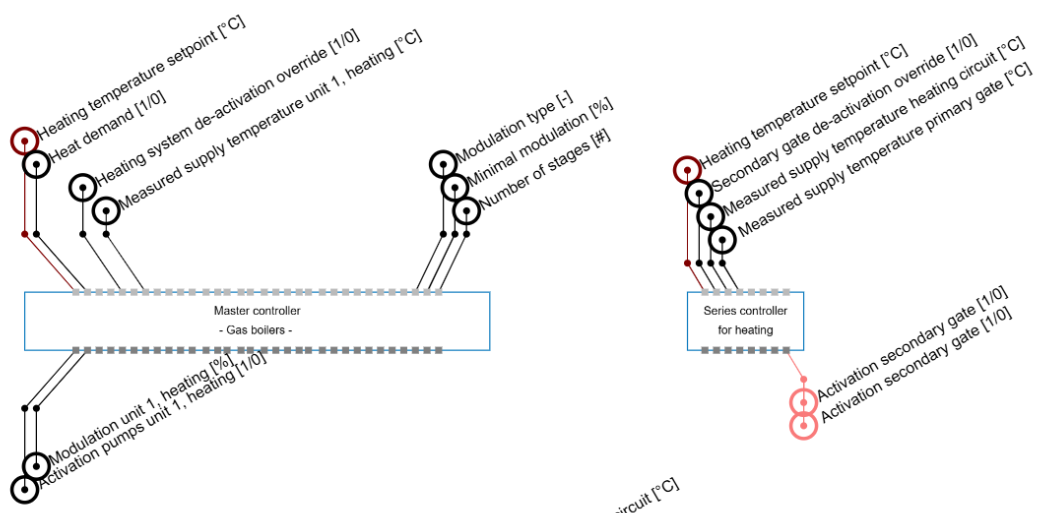
All Generation III templates are supported by automated control logic. These robust control strategies require only limited user input before simulations can be performed. Advanced programmable controllers act as control engines with two main functions:
-
Local control for thermal production units: the controller determines when a unit runs, how it produces heating or cooling and how its output is modulated. Activation and temperature signals are used as inputs to generate the required modulation and production outputs.
-
Master control for thermal energy centres: the controller coordinates the local control of multiple production units. It ensures clear communication between production blocks and uses production and temperature signals to generate the required activation and temperature outputs.
By combining the Energy centre front, the Energy centre placeholder, and the automated programmable control logic, Generation III templates can be used as modular building blocks. Users can replace placeholders through template auto-insertion and connect the required activation signals and temperature setpoints to the next template’s Energy centre front. This allows users to build models quickly while maintaining correct and stable operation during calculation and simulation.