
Introduction
Load Validation in Hysopt is a post-simulation analysis check that is automatically executed after a simulation finishes. Its purpose is to verify whether the simulated HVAC system actually delivers what the model intends it to deliver: the required energy (heat or cooling) and the defined temperature setpoints. Load Validation helps users detect issues that are not always immediately visible in standard result plots, such as control mismatches, insufficient capacity, or configuration errors that may silently distort simulation results. By flagging these issues early, Load Validation acts as a guided workflow step before continuing with deeper analyses, variants, or reporting.
Why use Load Validation?
Load Validation is designed to provide fast and focused feedback after a model is built and simulated. It allows you to:
-
Verify that all system setpoints are effectively reached
-
Verify that all system loads are actually supplied
-
Detect hidden modelling or control issues that would otherwise remain unnoticed
-
Increase confidence in simulation results before using them for studies, comparisons, or decision-making
In practice, Load Validation helps ensure that subsequent analyses are based on a technically sound and correctly behaving model.
When to use Load Validation in your workflow
Load Validation is automatically performed after each simulation. It should be reviewed:
-
After completing a model and running a first simulation
-
After making significant changes to system configuration or controls
-
Before moving on to further analyses, variants, or reporting
The intention is to provide a clear signal when the model behaviour deviates from its intended design.
What is validated?
This page focuses on simulation-based validation of energy and temperature setpoints. Hysopt currently supports three validation types within this scope.
1. Heat flow validation on end units
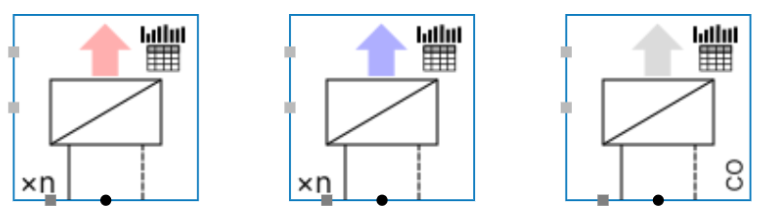
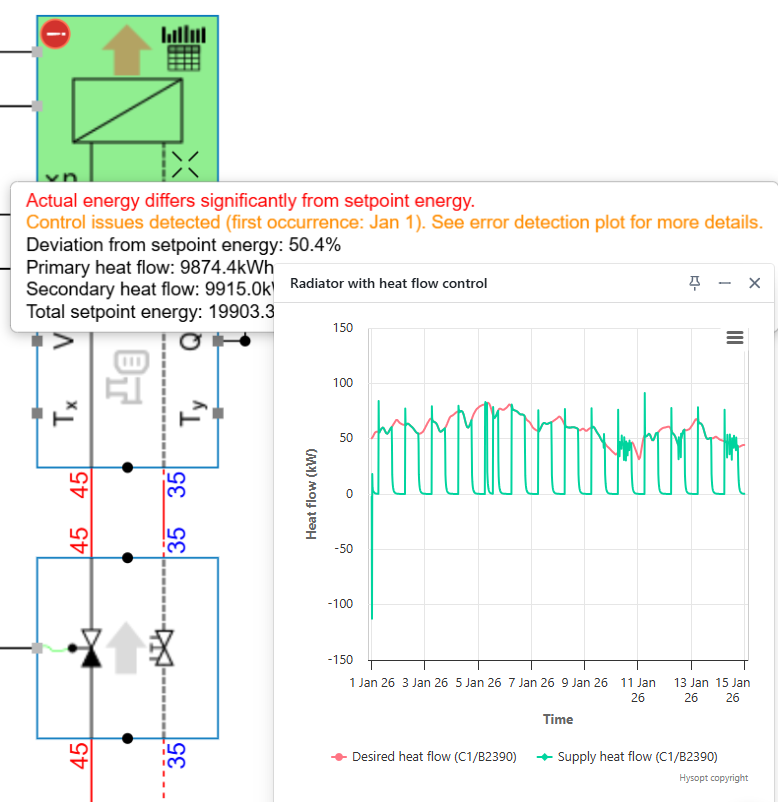
After each simulation, Load Validation is performed on base circuits with heat-flow-controlled end units (for heating, cooling, and change-over systems). For each relevant base circuit, Hysopt checks whether the imposed heat flow is effectively supplied by the system.
Short-term warning
A short-term warning is triggered when:
-
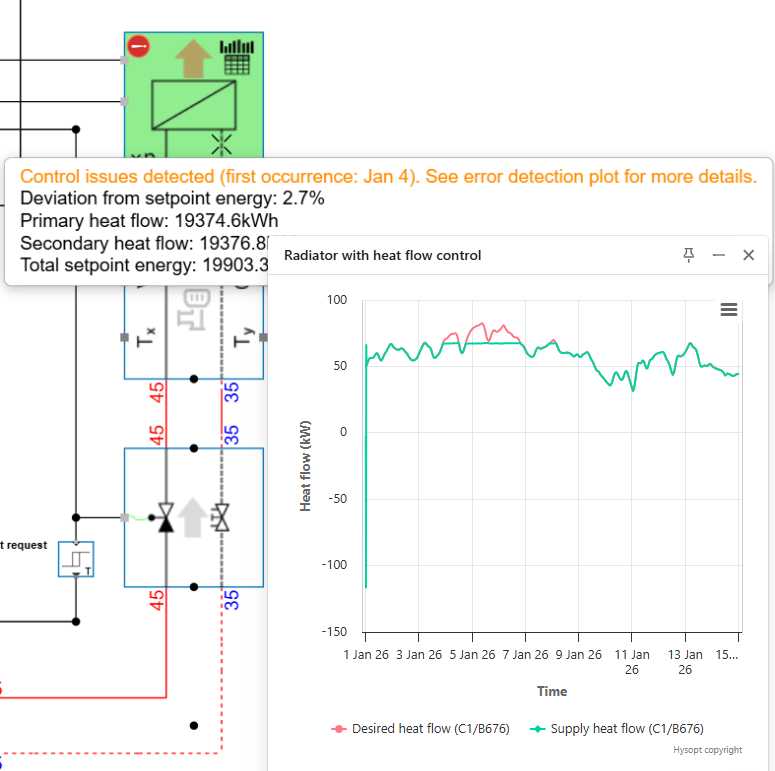
The supplied heat flow is at least 5% below the desired heat flow
-
This deviation persists for more than 1.5 hours
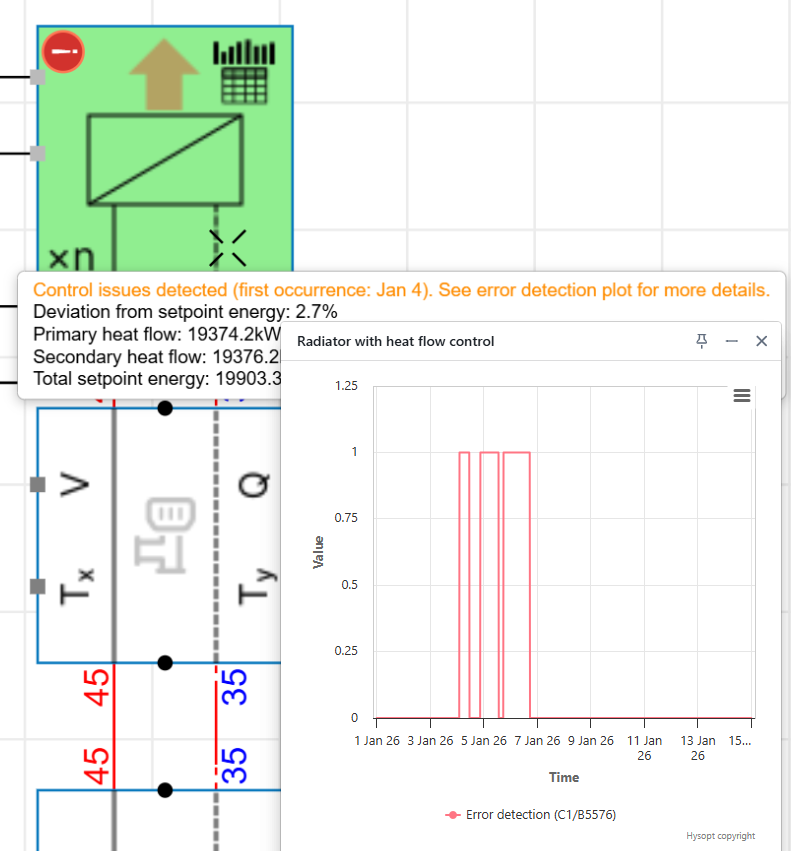
This warning typically indicates a control-related issue. The validation message includes a time indication showing when the issue first occurred, helping users locate the root cause in the simulation timeline. An Error Detection graph is available on the base circuit to visualise when these deviations occur over time.
Long-term warning
A long-term warning is triggered when:
-
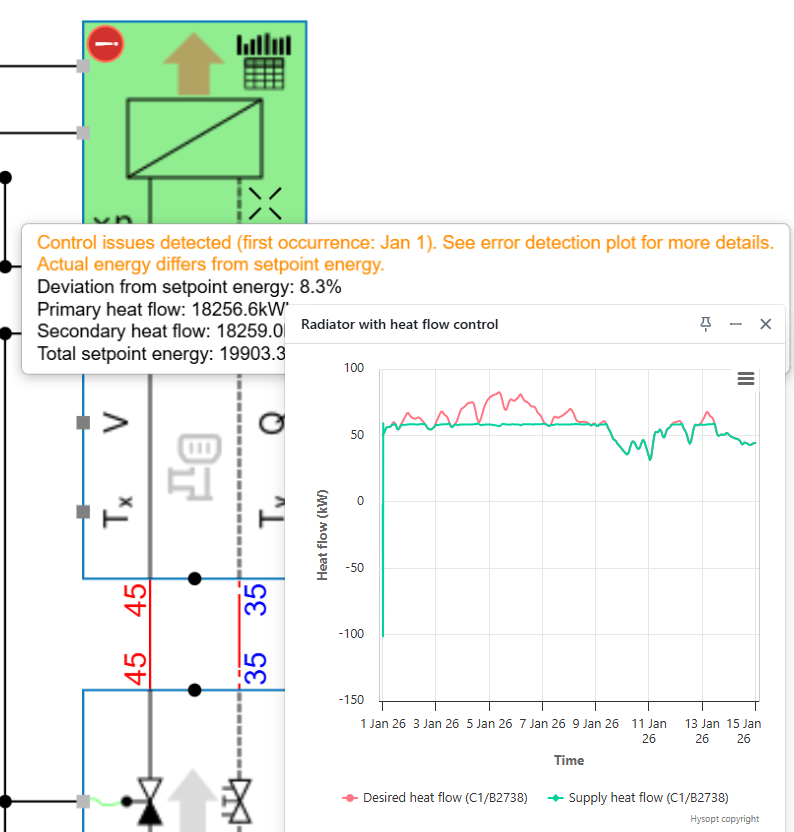
The supplied heat flow is at least 5% below the desired heat flow over the simulation period
This indicates that the actual delivered energy differs from the setpoint energy on the aggregated simulation period.
Long-term error
The long-term warning escalates to a long-term error when:
-
The supplied heat flow is more than 10% below the desired heat flow over the simulation period
This signals a significant mismatch between intended and actual system performance and should always be investigated.
2. Temperature validation on room controllers
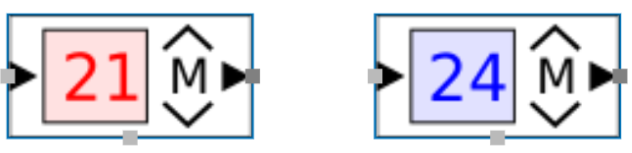
After each simulation, Load Validation is performed on base circuits with modulating room controllers. On/off room controllers are excluded from this validation. Hysopt checks whether the imposed room temperature setpoint is reached in the simulation.
Short-term warning
A short-term warning is triggered when:
-
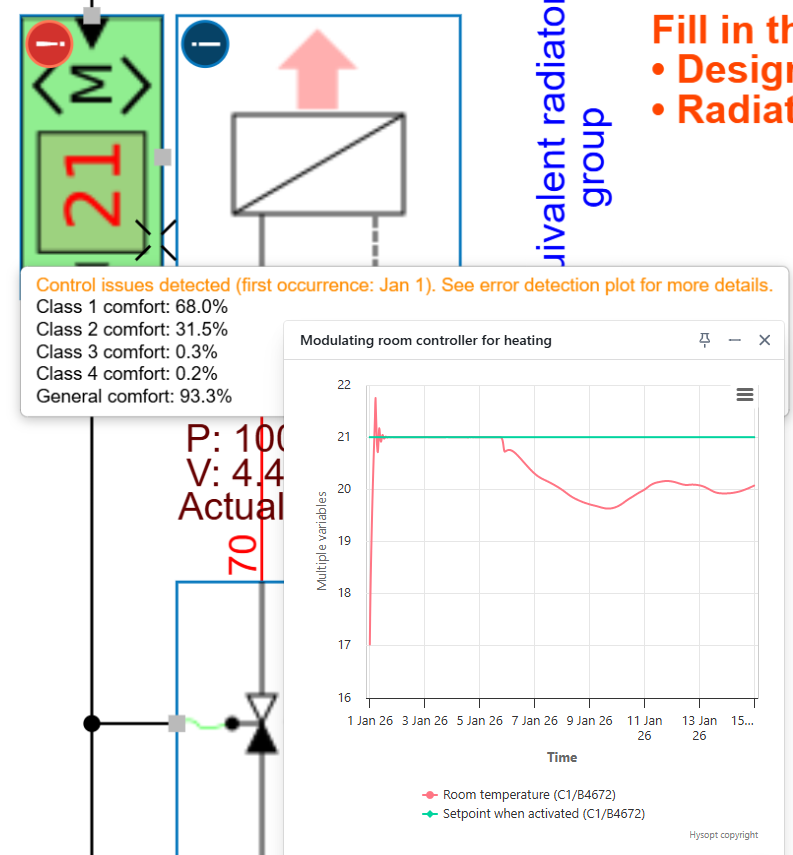
For heating systems: room temperature is at least 0.5 °C below the setpoint
-
For cooling systems: room temperature is at least 0.5 °C above the setpoint
-
The deviation persists for more than 3 hours
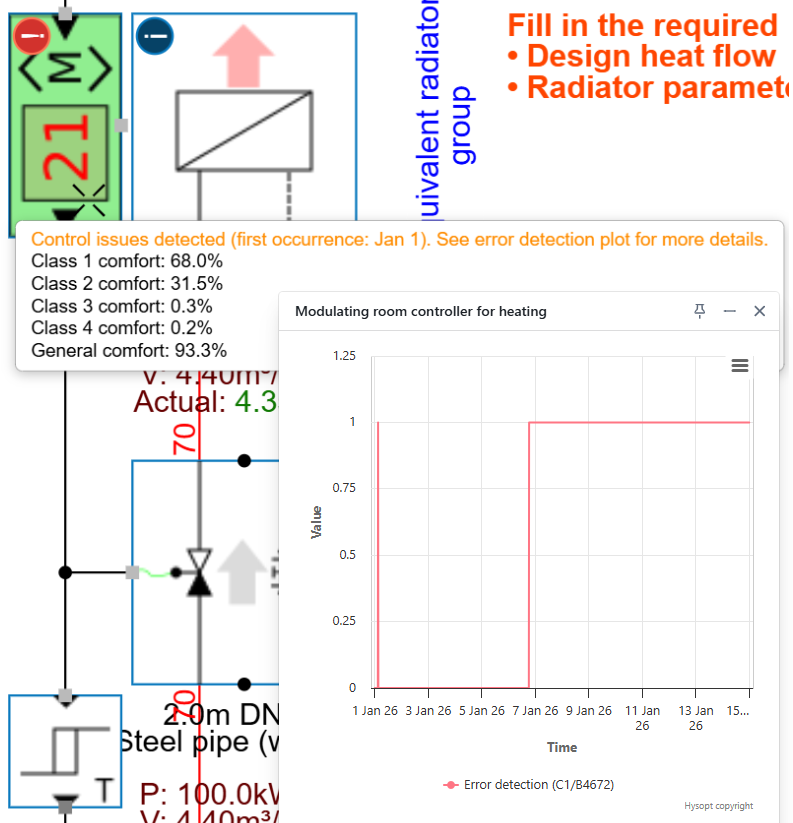
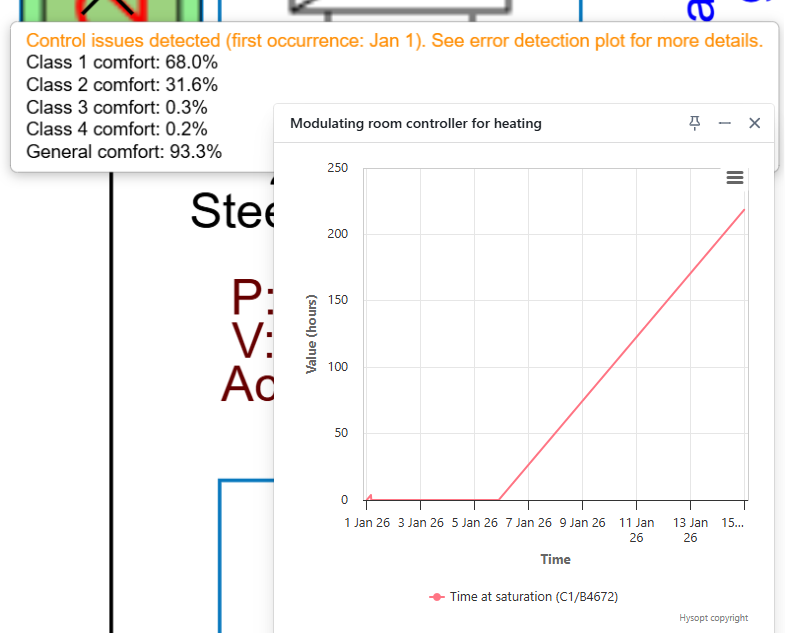
This warning indicates potential issues in control behaviour, capacity, or system configuration. A time indication is provided to help identify when the deviation first occurs. Two dedicated graphs are available on the base circuit:
-
Error Detection: shows when temperature deviations occur
-
Time at Saturation: shows how long the controller remains unable to reach its setpoint
These graphs help distinguish temporary start-up effects from structural problems.
3. Setpoint validation on PI-controllers
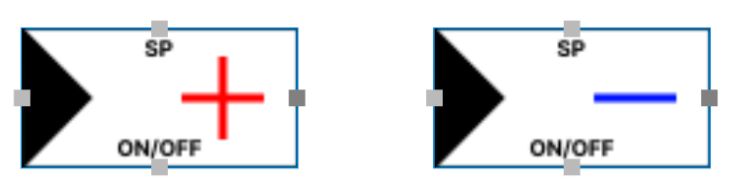
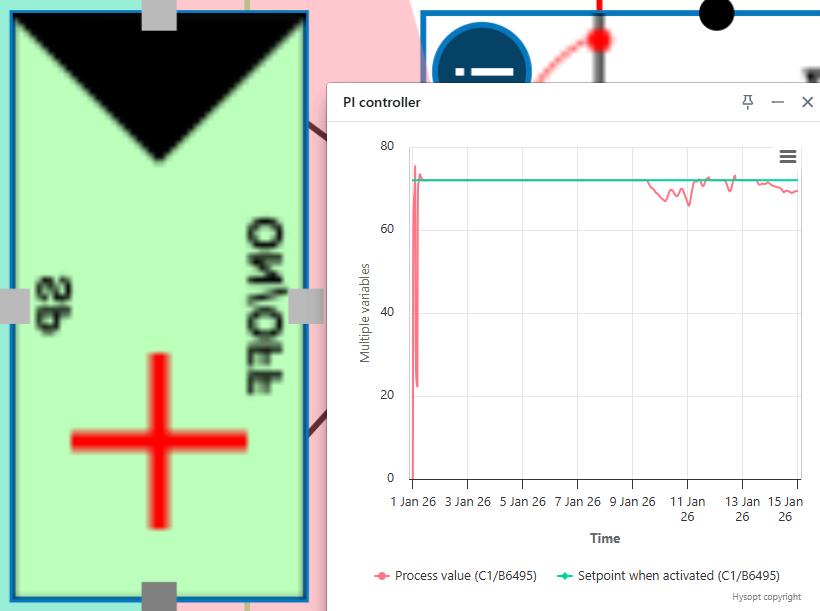
For base circuits with PI-controllers, Load Validation checks whether the imposed setpoint is reached during the simulation.
For this validation type:
-
No warnings or errors are generated
-
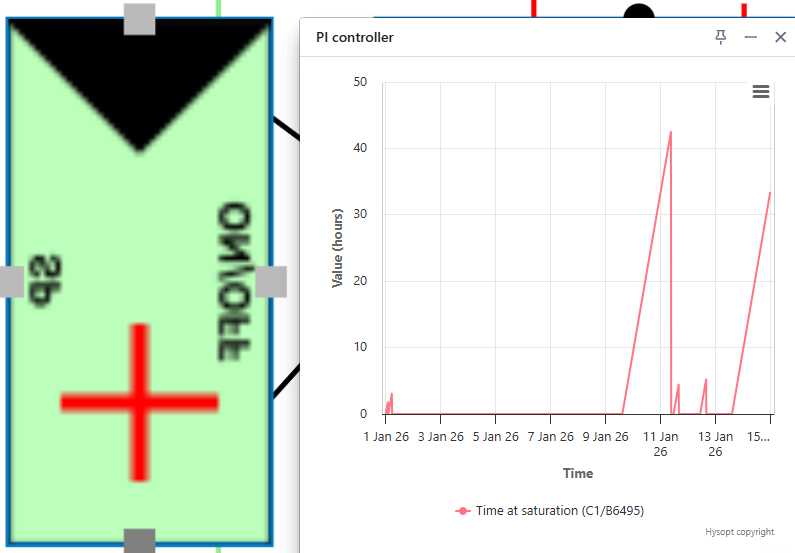
A Time at Saturation graph is provided
This graph visualises:
-
For the positive PI-controller: when the process value remains below the setpoint
-
For the negative PI-controller: when the process value remains above the setpoint
-
How long the deviation persists while the controller is active
This information supports detailed control analysis without interrupting the workflow with warnings.
Summary
Load Validation is a built-in post-simulation check that helps verify whether a Hysopt model behaves as intended with respect to energy delivery and temperature setpoints. By highlighting deviations through clear warnings, errors, and dedicated graphs, it enables users to quickly identify control or configuration issues that may otherwise remain unnoticed. Reviewing Load Validation results after each simulation helps ensure that further analyses, variants, and conclusions are based on a reliable and technically sound model.